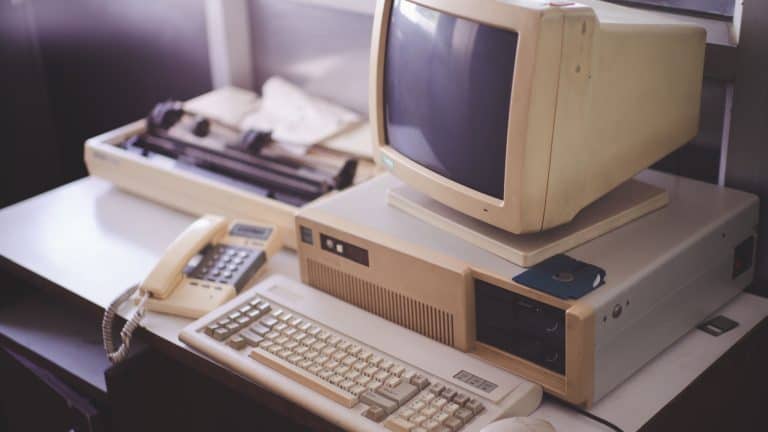

Wi-Fi, touchscreens, and automatic updates were all unheard of back when home computers first became popular. Using these computers required patience, ingenuity, and a lot of luck. Kids today who are used to slick apps and lightning downloads would find many of these early computer “facts of life” hard to believe.
The system could take forever to turn on

Flipping the switch to turn on a home computer used to take an agonizingly long time. Pressing the power button meant you just sat there and waited, and waited. Long enough to make yourself a snack before anything appeared on the screen. Children today would have grown bored before the system was even fully loaded.
Programs ran from floppy disks

Software wasn’t “installed” on a home computer. Every time you wanted to play a game or open a word processor, you had to insert a floppy disk. If it was scratched, dusty, or even slightly bent, the program would not work. You had one shot, and then you’d have to find another disk.
You were always afraid of losing everything

Auto-save wasn’t invented yet. If the power went out or the computer froze, all your hard work was lost. Kids were forced to practice pressing the “Save” button every few minutes as if their lives depended on it.
Computers could freeze at random

An early computer could freeze with no warning. The mouse would stop moving, the keyboard would freeze, and there was nothing that you could do to correct it. You had to accept your losses and restart. There were no error messages or clues as to what went wrong.
Only one person in the house could use the phone or internet

When the internet arrived, it took over the phone line. If someone else tried to make a call, the internet user’s connection was cut off instantaneously. This led to families brawling over who was more in need of the phone at the moment, the person online or the one on the phone.
Dial-up brought loud, mysterious noises

Connecting to the internet involved beeps, screeches, clicks, and robot noises. The whole family knew when someone was going online. Kids today would think the computer had a ghost or was on the fritz.
You could only do one thing at a time

Multitasking was a sure-fire way to make a computer run slow or even crash. Opening a second program was dangerous. You always shut everything down before doing something else.
Games came with instruction manuals

Computer games were not going to explain themselves to you on the screen. To figure out controls, objectives, or rules, you had to read the instruction manual. Lose the booklet, and you had to guess, or you never knew the game.
Screens were painful to the eyes

Old monitors were large and glaring. Staring at them for more than an hour at a time caused headaches, dry eyes, and sore necks. They were also inflexible. There was no “night mode,” no blue-light filter, and few brightness controls.
Storage space was a luxury

Hard drives filled up fast. You had to constantly delete files to make room for new ones. A few photos or programs could take up most of the space, and you had to agonize over what to keep and what to throw away.
Computers weren’t mobile at all

Early home computers could not be moved around at all. If you wanted them to be in a different place in the room, you’d have to unplug a labyrinth of cables, and then lift heavy equipment very carefully. Laptops were rare, expensive, and slow.
Solving a problem was trial and error

You had no Google, no YouTubes, no step-by-step tutorials, no tech support chats. If you ran into a problem, you had to fiddle around with trial and error, or ask a friend. And sometimes, you just had to live with it. Learning to use computers was the same as learning patience.
The following sources were consulted in the preparation of this article:

